QC-Studio documentation
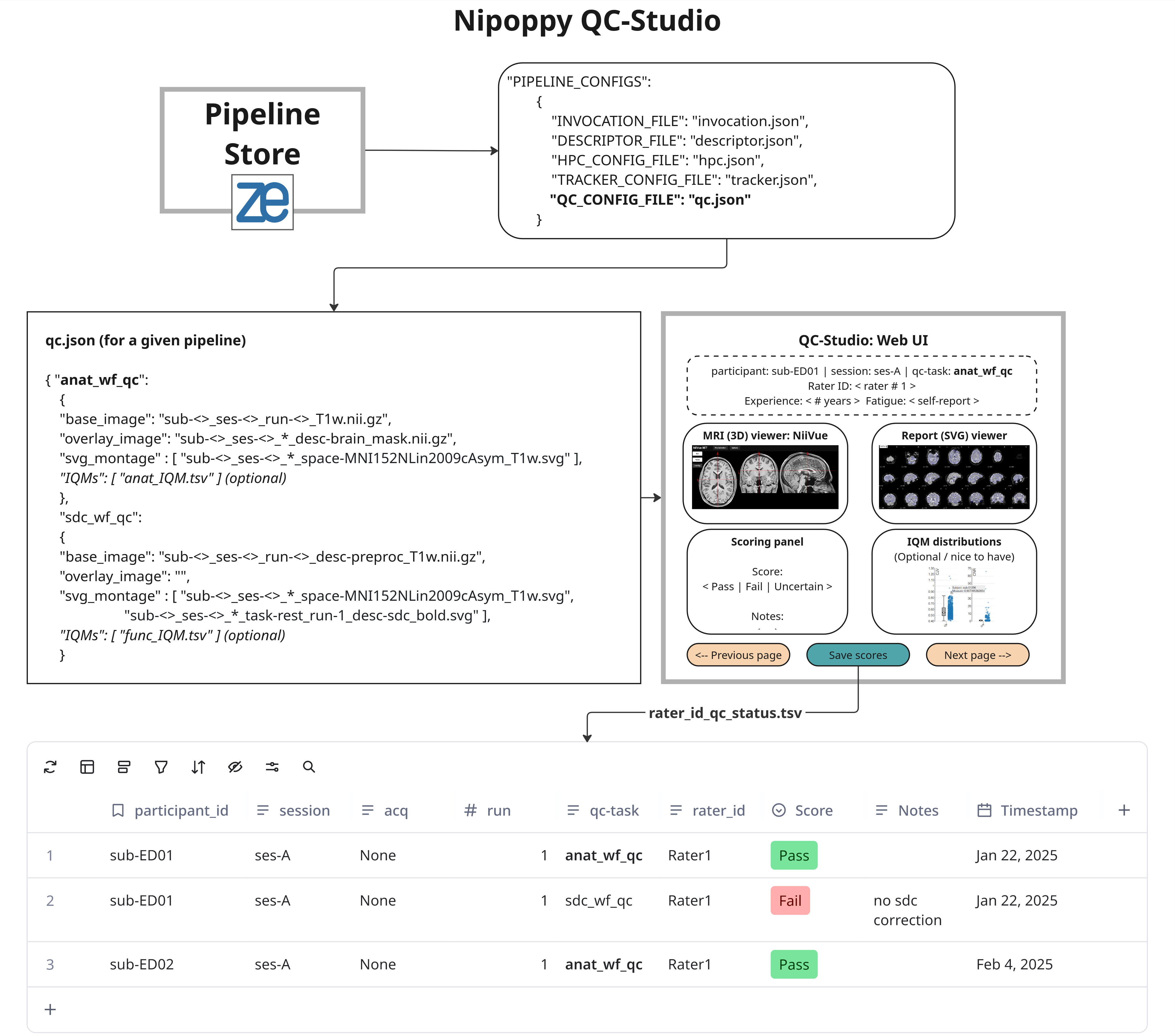
QC-Studio is a web-based quality control (QC) application for neuroimaging data. It gives raters a unified, portable interface, accessible from any web browser, to review raw imaging data, processed pipeline derivatives, and image quality metrics (IQMs), and export ratings as a tab-separated table.
Key benefits:
Local and Remote QC — QC-Studio can run locally or on a remote server that holds the data. Raters with access can review it in a local browser, without having to copy data.
Broad format support — QC-Studio is built on NiiVue, which displays volumetric and surface data in most common neuroimaging formats.
Custom QC protocols — choose which images to show and which rating scales to use for each QC task.
Start here
Why QC-Studio — the motivation behind QC-Studio and the terms used throughout the documentation.
Installation — set up a working environment from a clean machine.
Quickstart — run the bundled demo on the sample dataset with one command and take your first QC ratings.